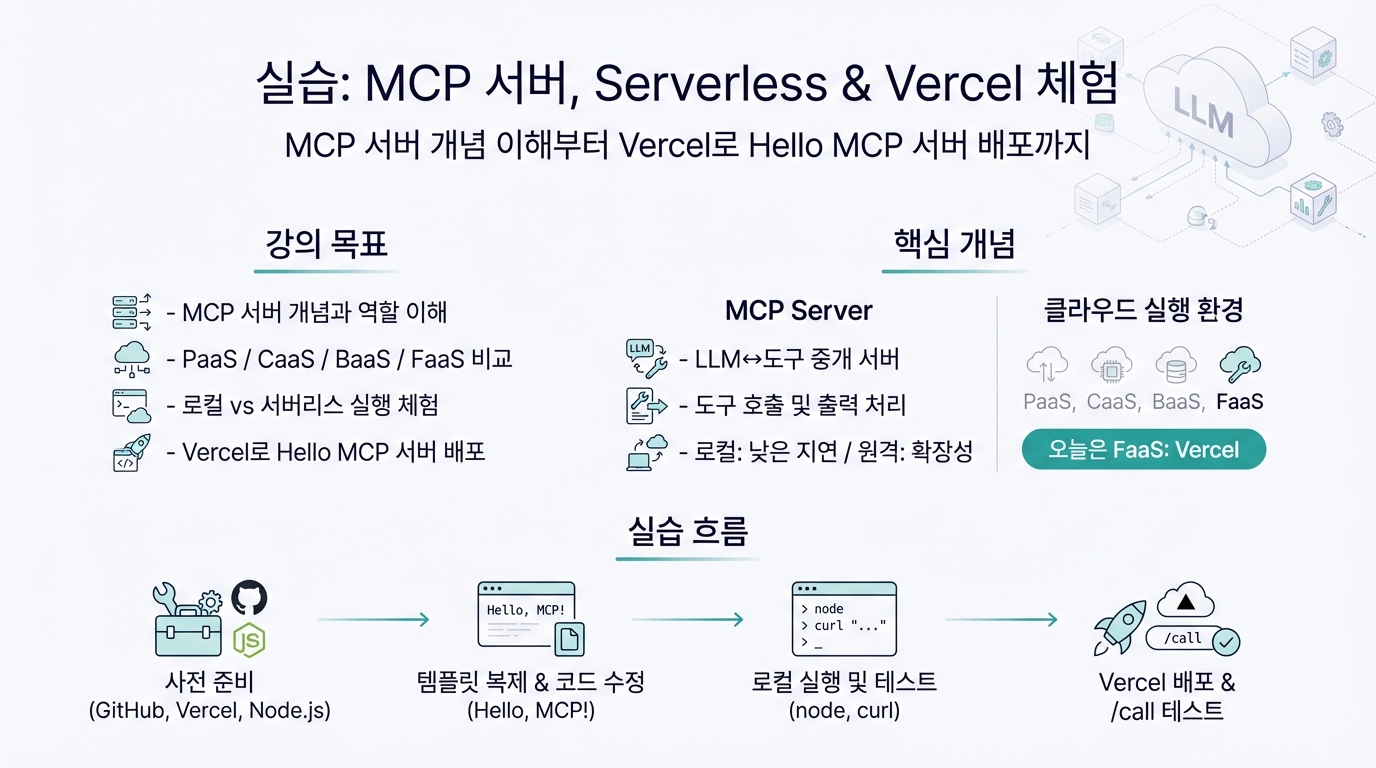
FaaS (Serverless) 중 Vercel을 사용
강의 목표
- MCP server (MCP 서버)의 개념과 역할 이해
- PaaS, CaaS, BaaS, FaaS 같은 클라우드 실행 환경 비교
- 로컬(Local)과 서버리스(Serverless) 환경에서 MCP 서버 실행 차이 체험
- 직접 MCP 서버를 만들고, Vercel(FaaS 플랫폼)에 배포해보기
핵심 개념
MCP Server (MCP 서버)
- 정의: LLM(Large Language Model)이 외부 도구(tools)와 상호작용할 수 있도록 중개 역할을 하는 서버
- 기능:
- 특징:
클라우드 실행 환경 비교
- PaaS (Platform as a Service): 언어별 런타임 제공 (예: Google App Engine)
- CaaS (Container as a Service): Docker 단위 실행 (예: Google Cloud Run, Render)
- BaaS (Backend as a Service): 인증/DB/Storage 등 백엔드 기능 제공 (예: Firebase, Supabase)
- FaaS (Function as a Service): 함수 단위 실행, 서버리스 배포 환경 (예: AWS Lambda, Cloudflare Workers, Vercel)
→ 오늘은 FaaS (Serverless) 중 Vercel을 사용
실습: “Hello MCP 서버” 만들기
사전 준비
- GitHub 계정
- Vercel 무료 계정 (https://vercel.com/)
- Node.js (18 이상 권장)
- 선택: smithery-cli 또는 curl/Postman (테스트용)
MCP 서버 구조
plain text
📁 simple-mcp-server/
├─ package.json
├─ index.js         # Express 서버, POST /call 엔드포인트
├─ mcp.json         # MCP 서버 metadata
├─ README.md
POST /call엔드포인트만 있으면 MCP 서버로 동작 가능req.body.tool값에 따라 도구별 응답을 달리함
템플릿 복제
bash
npx degit smithery-ai/reference-servers/templates/echo-mcp hello-mcp
cd hello-mcp
npm install
핵심 코드 수정 (index.js)
javascript
app.post('/call', async (req, res) => {
  res.json({ result: "Hello, MCP!" });
});
로컬 실행 및 테스트
bash
node index.js
curl -X POST http://localhost:3000/call
Vercel로 배포
Vercel 로그인 및 초기화
bash
vercel login
vercel
배포 완료 후, 제공된 URL을 통해 /call 엔드포인트 테스트
mcp.json 확인 및 등록
- MCP 클라이언트 또는 Smithery 등록
- curl/Postman으로 호출 테스트